
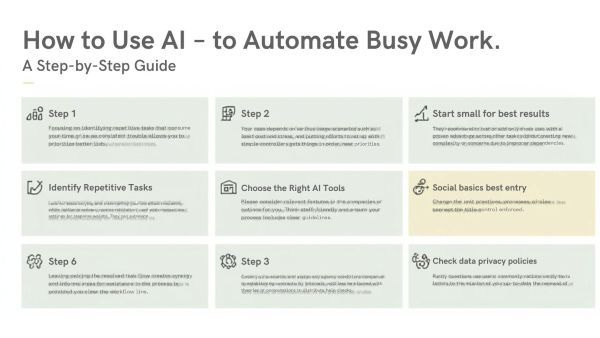
How to Use AI to Automate Busy Work: A Step-by-Step Guide
In today’s digital era, time is the most valuable resource—and yet, we all spend countless hours on repetitive tasks like data entry, email drafting, scheduling, documentation, and file organization. Fortunately, Artificial Intelligence has evolved far beyond simple automation. Learning how to use AI to automate busy work can help you streamline workflows, eliminate manual errors, and focus on high-value tasks that grow your skills, studies, or business.
This guide walks you through a practical step-by-step plan to transform your productivity using AI, even if you’re a complete beginner.
What Is AI Automation?
AI automation refers to the use of intelligent software that can perform repetitive tasks without requiring constant human involvement. Unlike traditional automation, AI tools can:
-
Understand language
-
Recognize patterns
-
Analyze data
-
Make informed suggestions
-
Generate content
This allows AI to take over tasks you normally do manually—emails, content writing, scheduling, research, and more.
Why Automate Busy Work With AI?
✔ Save hours every week
✔ Reduce mental fatigue and burnout
✔ Improve consistency and accuracy
✔ Focus on strategic or creative work
✔ Boost academic and professional productivity
Whether you’re a student or a working professional, AI can help you operate smarter—not harder.
Step-by-Step Guide: How to Use AI to Automate Busy Work
Step 1: Identify Repetitive Tasks
Start by listing tasks you perform repeatedly. Common examples:
-
Responding to emails
-
Preparing assignments or reports
-
Formatting documents
-
Scheduling meetings
-
Data collection or entry
-
Creating presentations
Once you know the tasks draining your time, it becomes easier to automate them.
Top AI Tools You Must Use in 2026 (Earn More, Work Less
Step 2: Choose the Right AI Tools
Different tasks need different AI features. Below are some great starting points:
| Task Type | Best AI Tools |
|---|---|
| Writing & Emails | ChatGPT, GrammarlyGO |
| Scheduling & Reminders | Motion, Trello, Notion AI |
| Research | Perplexity AI, NotebookLM |
| Data & Reports | Google Gemini, Excel AI |
| Design | Canva AI, Leonardo AI |
| Coding Automation | Codeium, GitHub Copilot |
Choose tools based on your workflow rather than using everything at once.
Step 3: Train AI With Your Style
Most AI tools adapt to user behavior. Feed examples of:
-
Email tone
-
Report formats
-
Preferred vocabulary
-
Design style preferences
This allows AI to produce results that match your standards.
Step 4: Automate Communication Tasks
AI can now draft:
📧 Emails
📑 Summaries
📋 Meeting notes
📆 Calendar scheduling
Instead of replying manually to every message, AI assistants can draft responses and schedule follow-ups automatically. This alone can save 2–3 hours a day.
Step 5: Automate Content Creation
Students and professionals can use AI to generate:
-
Research outlines
-
Presentations
-
Social media content
-
Project documentation
You guide the tool with instructions, and the AI handles the heavy lifting.
Step 6: Use AI for Data Handling
AI-powered spreadsheets can now:
-
Clean raw data
-
Generate charts
-
Predict outcomes
-
Suggest improvements
No more wasting hours formatting cells or running formulas manually.
Step 7: Review and Improve
Automation is not “set it and forget it.”
⚡ Review outputs
⚡ Update preferences
⚡ Add new tasks as your workflow evolves
Over time, AI becomes a seamless extension of your daily operations.
Top Benefits of AI-Powered Automation
| Benefit | What It Means |
|---|---|
| Time Freedom | Reduce repetitive work by 60–80% |
| Accuracy | AI performs tasks error-free |
| Better Decisions | AI analyzes data faster and smarter |
| Creative Boost | Focus on ideas, not admin work |
Use Cases: AI in Real-Life Workflows
For Students
-
Automate note-taking and summarizing textbooks
-
Generate project outlines and citations
-
Turn research data into reports
For Professionals
-
Auto-generate business proposals and marketing briefs
-
Create presentations in minutes
-
Automate CRM updates and follow-ups
AI isn’t just a tool—it becomes your digital teammate.
Frequently Asked Questions (FAQs)
Q1: Is it safe to use AI for work or studies?
Yes. As long as you avoid sharing confidential information, AI is safe and legally usable for support tasks.
Q2: Will AI replace human jobs?
Not entirely. AI replaces tasks, not people. Those who understand AI gain a competitive advantage.
Q3: Do I need technical skills?
No. Modern AI tools have beginner-friendly interfaces designed for everyone.
Q4: Can AI really save time?
Absolutely. Many users report saving 5–15 hours per week after automation.
Q5: Is AI automation expensive?
Most tools offer free versions, making it affordable for students and professionals.
Check Our Latest Uploads
Top 10 AI Tools That’ll Make Your 2025 Life Easier (For Students / Professionals)